Spain loves football. Spain also has plenty of people watching football on pirate streams. Those streams often sit behind Cloudflare, where one IP address can belong to a lot of completely unrelated websites.
LaLiga spent a while trying to get Cloudflare to take the pirate streams down. That did not work out. Then LaLiga got a court order that lets Spanish ISPs block IP addresses during matches. So they block the IPs used by the streams, and legitimate sites behind Cloudflare go down with them.
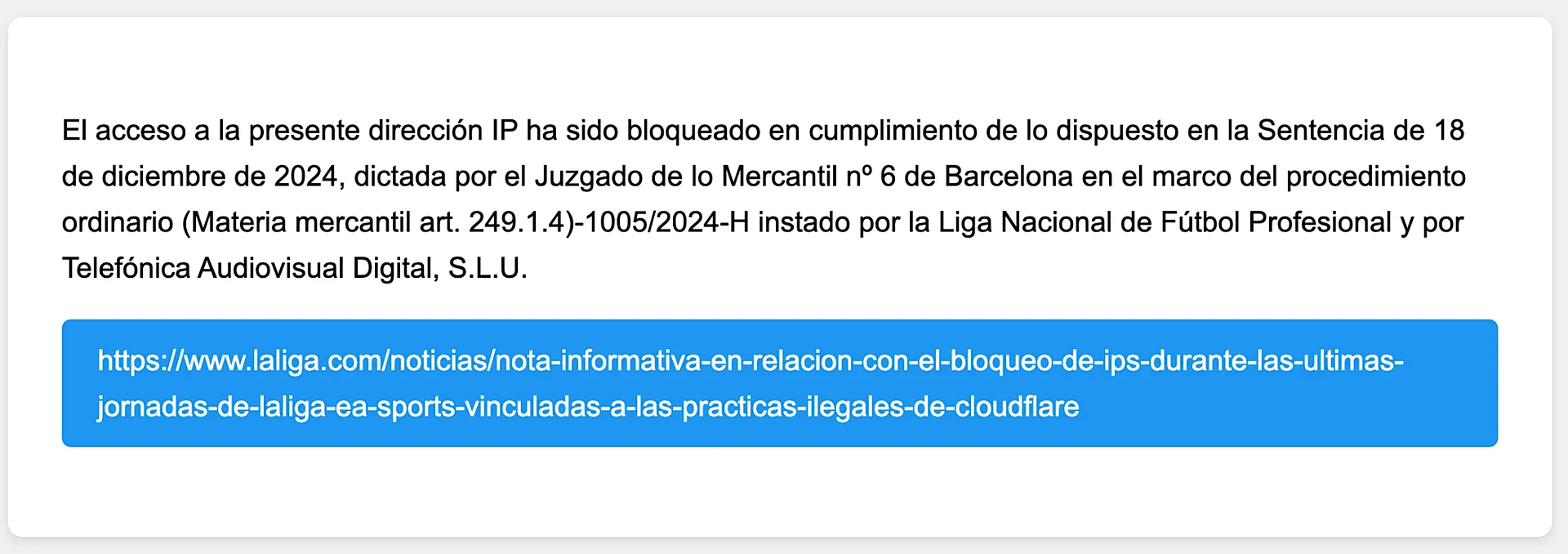
Message shown by a Spanish ISP when you try to load a website hosted on an IP address it has blocked.
The result is annoying. A random site does not load. An API starts timing out. You can spend an hour debugging your own setup before noticing that there is a LaLiga match on.
I used to fix it by enabling a rule on my MikroTik that sends Cloudflare traffic through a VPN. Every match, same small ritual. Recently I found ¿Hay ahora fútbol?, a site with one useful question: is football on right now, and is Cloudflare probably broken again?
It also exposes its signal over DNS. That was enough to automate the whole thing.
What my router changes
The router keeps a list of Cloudflare IP ranges. When Hayahora reports a large set of blocked IPs, it enables one disabled mangle rule. New connections from my LAN to Cloudflare then go through my existing VPN. When the DNS answer goes back to normal, the rule turns itself off.
Only Cloudflare traffic takes the detour. The VPN is not my default route, and the rest of the network keeps using my normal ISP connection.
My setup uses RouterOS 7 and an existing policy-based IPsec connection marked NordVPN. If your VPN uses a different connection mark, replace NordVPN below. Get the VPN working first; this post only adds the automatic switch.
The MikroTik setup
First, refresh a firewall address list named cloudflare-ips every day. I use Davie3’s list, but any maintained Cloudflare IP-list import will do.
/system script
add name=refresh-cloudflare-ips policy=ftp,read,write,policy,test source={
    /tool fetch url="https://raw.githubusercontent.com/Davie3/mikrotik-cloudflare-iplist/main/cloudflare-ips-v4.rsc" \
        check-certificate=yes dst-path=cloudflare-ips-v4.rsc
    /ip firewall address-list remove [find where list="cloudflare-ips"]
    /import file-name=cloudflare-ips-v4.rsc
}

/system scheduler
add name=refresh-cloudflare-ips interval=1d start-time=00:15:00 on-event=refresh-cloudflare-ips

/system script run refresh-cloudflare-ips
Then add this rule. It starts disabled on purpose.
/ip firewall mangle
add chain=prerouting action=mark-connection connection-mark=no-mark \
    new-connection-mark=NordVPN dst-address-list=cloudflare-ips \
    in-interface-list=LAN comment="Cloudflare through VPN during LaLiga blocks" \
    disabled=yes
Finally, this script checks Hayahora every five minutes. More than ten DNS answers is my signal that a blocking event is active. The same threshold is used by the TRMNL LaLiga plugin.
/system script
add name=laliga-cloudflare-switch policy=ftp,read,write,policy,test source={
    :local rule [/ip firewall mangle find where comment="Cloudflare through VPN during LaLiga blocks"]
    :local result [/tool fetch \
        url="https://dns.google/resolve?name=blocked.dns.hayahora.futbol&type=A" \
        check-certificate=yes output=user as-value]
    :local dns [:deserialize ($result->"data") from=json]
    :local answers ($dns->"Answer")
    :local blocked ((($dns->"Status") = 0) && ([:len $answers] > 10))
    /ip firewall mangle set $rule disabled=(!$blocked)
}

/system scheduler
add name=laliga-cloudflare-switch interval=5m on-event=laliga-cloudflare-switch
You might wonder why this does an HTTP request to Google DNS instead of using RouterOS’s native :resolve. :resolve returns only one record. I need the full answer set to keep the > 10 threshold, so one record does not send all Cloudflare traffic through the VPN by accident.
A couple of limits
This is a blunt workaround. While the rule is enabled, every new connection from my LAN to a Cloudflare IP goes through the VPN. That is fine for me during a match, but it sends all Cloudflare traffic through the VPN, not just traffic to the site that failed.
The DNS data is an observation, not an official blocklist. And connections that already exist keep their old route until they reconnect. Still, it has saved me from one more round of “why is this website broken only tonight?” If football is on and the block is active, I am French automatically.